 While creating a Word document, it also creates hidden personal information called Meta data in your document. This hidden personal information includes your name and initials, computer name, name of the hard disk or network server where you saved the document, previous author’s name, things you deleted from the documents and other hidden text and tracking comments. Anyone can easily find it out these data. So for security reasons, you wouldn’t want to share these data with others. This is important especially when you send these documents electronically.
 You may remember my previous post about removing Meta data which is a MS Office add-in from Microsoft. Here is an individual program, which I think much better for removing Meta data from MS word 97/200/XP and 2003.
DocScrubber a free tool from Javacoolsoftware that analyze your word document (multiple documents also) and remove hidden or potentially embarrassing data from your documents. Moreover, it can also produce an analysis of any Word document to show what metadata it contains.
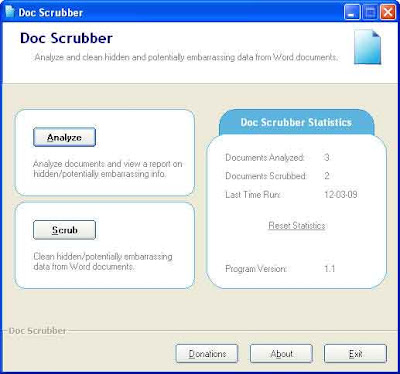
Using this application is also quite simple. Download (820Kb) and install it. Run the program. If you want to analyze the Meta data from a document before deleting it, just click on “Analyze’ tab and select a document. Click ‘Next’ and it will show what hidden data your word document includes.
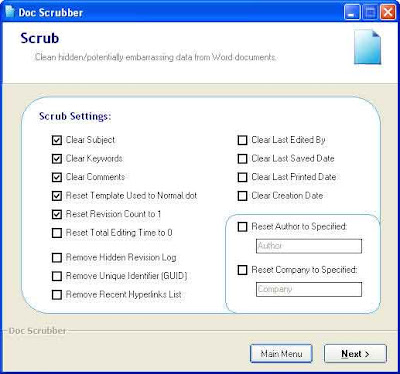
To remove Meta data, click on “Scrub” tab from the main window, select an option (single document or multiple document) and select the document you want to scrub. Click Next and select what you want to delete from you document and click ‘Next’ for completing the task.
hi, nice blog
ReplyDeleteYour Blog is More interesting.great work.:)
moreover, ...if possible at ur free time visit mine..and give ur suggestion to improve..
if possible add me in your blog roll. i will return my favour!!
very nice explanation on how to remove metadata from word documents.
ReplyDelete