Showing posts with label browser. Show all posts

May 20, 2026

Firefox 151: Free VPN Location Selection, Mobile AI Features, and One-Click Private Session Clearing

Mozilla just dropped Firefox version 151 with some solid updates for desktop and mobile devices. You can now pick which country's VPN location you want to use for free, get more AI features on your phone, and an option to clear your private browsing session with a single click.


Apr 24, 2026

How to Disable Microsoft Edge Startup Boost on Windows 11 (Free Up RAM)

Microsoft Edge's Startup Boost feature is designed to make the browser launch faster by keeping background processes running even after you close it. While this creates a snappier user experience, it comes with a hidden cost: continuous memory and CPU consumption in the background. It will be around 300MB to 1GB depending on system resources.

Nov 5, 2015

Firefox Now Blocks Ads and Tracking Scripts and Load Webpages More Faster

Good news for Firefox browser fans. Firefox now blocks ads and tracking scripts and load webpages more faster. This feature will be activated automatically when you use Private Browsing mode. To get this feature, you should update your Firefox browser to latest version (v 42.0) and use it in private browsing mode.

Sep 25, 2015

How to Disable Flash Content in Microsoft’s Edge Browser in Windows 10

Your favorite browsers, Chrome and Firefox now block Flash content on web pages (at least some) by default for security reasons, but this does not apply if you are using Microsoft’s new Edge browser in Windows 10. Microsoft’s Edge is the fastest browser out there and easy to configure everything.

If you are new to Microsoft’s Edge browser and want to disable Flash content in Edge, read on to know how it is. It is very easy to configure Edge’s settings to stop Flash posing a security risk or annoying you with loud adverts.

How to disable Flash Content in Edge

1. Open Edge and tap or click the ‘three dots’ icon in the top-right corner of the browser.

2. Tap or click Settings, scroll down and select ‘View advanced settings’.

3. Switch the ‘Use Adobe Flash Player’ option to Off. You can also block pop-ups here.


Hope this simple tip will help you prevent any security risk by Flash content while using your favorite Edge Browser.

Aug 27, 2014

How to Lock Firefox’s Homepage to Prevent Hijacking

By locking your Firefox browser’s homepage to your liking, you can prevent homepage hijacking. Browser hijacking means, every time you launch your browser a company page (for instance, conduit.com) will appear on your browser new tab page and forced to search via it.

Aug 23, 2014

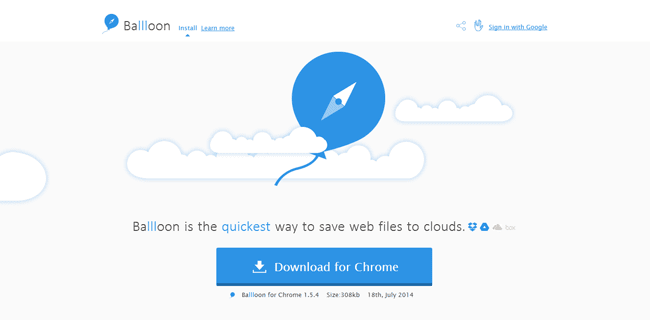
Ballloon- Saves Online Images and Documents to Dropbox and Google Drive

File hosting and Synchronization service like Google Drive or Dropbox is always a nice choice for those who have multiple devices. You can visit your files almost everywhere. But how can you save a file, for example a cool image, from the web you are viewing to your Clouds? Many download and upload steps are ahead.


Aug 22, 2014

How to Fix Slow Page Loading in Chrome

If you are experiencing slow page loading and choppy scrolling in your Chrome browser, especially after opening several tabs at a time, there is a fix to solve the issue. By default, Chrome browser uses 128MB of memory, but by increasing this value, you can improve your browser’s performance, especially on your Android phone.

May 10, 2014

How to Get Firefox’s PDF Viewer in Opera Browser

Google Chrome was the first browser to add PDF viewer right in the browser to view PDF files. Last year Mozilla has also added PDF viewer support to its browser Firefox. What is great with this feature is that it helps you view PDF files online without downloading them to your computer. In addition, you can use your browser as your default PDF Viewer for your computer to read PDF files saved locally.

Nov 23, 2013

Turn Your Web Browser Into A Notepad Without Any Add On

Today I am introducing a very simple trick that lets you know how to turn your web browser into a quick-edit Notepad. It comes in handy when you want to quickly note down a few notes while surfing the internet. Here is how it is.

Nov 22, 2013

Replace Chrome’s New Tab Page With A Personal Dashboard

The usability of Chrome’s new tab page can be enhanced by replacing it with Momentum. This Chrome extension brings old-fashioned new tab page to Chrome along with a personal dashboard that features a to-do list, weather, time and beautiful backgrounds.

Jul 29, 2013

Junkware Removal Tool Lets You Remove Toolbars, PUPs, Hijacker and Adware From Windows

Several free software programs comes bundled with redundant programs like browser toolbars, some types of adware, unwanted programs (PUP), and browser homepage hijacker, etc. They are being installed on our computer while installing the main program.

Nov 24, 2012

How to View Hidden Passwords in Chrome, Firefox and Internet Explorer

Usually most people log into many services like Facebook, Twitter, Google Plus, etc. using autofill feature of browsers. It helps them sig in to the site with a click. However, as they aren’t typing their username and passwords anymore, after a while, most of them can’t remember their passwords. Here is how to view hidden password stored on your browser without any third-party software tool.

Jul 27, 2012

Iron Cleaner Speed Ups Chrome, Chromium and SRWare Iron Browsers

It is usual that after few months of using, our browser becomes very slow. This is due to old data it stores in its profile. All browsers have made available options to clean all old data from its history and cache, and there are several third party tools like CCleaner to do the same job. Iron Cleaner is a portable browser-cleaning tool specially designed for Google Chrome, Chromium and SRWare Iron browsers.

Jan 30, 2012

CacheCopy Let's Easily Copy Images From the Browser Cache

Copying images from the browser cache is not an easy job. You’ll need to sort the cached files into images, text and other media, add file extensions to images, and sort them. But with a simple application called cacheCopy, you can easily copy all images from your browser cache into a folder on your drive.

Aug 17, 2011

How Well Your Browser Supports HTML5 (test it now)

There are many tests (for example, Acid3 tests) available for browsers to check its performance, compatibility and security, but deciding which browser is the best can get a little dicey, as each one has its own ins and outs. Here is a new test, which helps you understand how well your browser supports the new web standard HTML5.