 Final version of Internet Explorer 8 has already been released and many of you may decide to download and use it. Then surely you also want to import your bookmarks, favorites and RSS feeds that used in other browsers (Firefox, opera and Safari) to use in Internet Explorer 8. (By experience, Internet Explorer 8 (IE8) seems to be the fastest web browser available today and you can download it from Microsoft Internet Explorer Homepage).
 The first thing you must do is go to the file menu in IE8, and click ‘Import and Export’. From the popup window, choose ‘Import from other browser’ if you want to import from another browser.
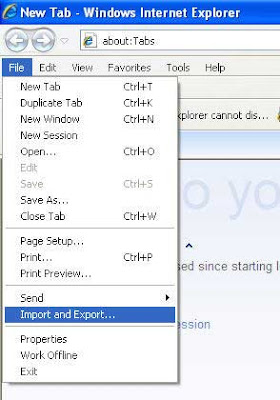
Click next and select the browser (s) (Firefox, Opera, Safari) from where you want to import book marks, favorites and RSS feed. Then click on ‘import’. [via]
Comments
Post a Comment
Please leave your valuable comment below