There are several programs available for launching applications in Windows using shortcut keys (without using mouse) and of course they are convenient in some extend. However if you likes to launch a program quickly using your keyboard and without a software, here is a simple tips for Windows 7 and Vista.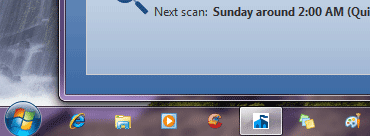
I am sure many of you have heard about it, however here is how it is. Just drag and drop a few application icons to your Windows quick launch bar.
Now press [Windows] key and an appropriate number on your keyboard to launch a program. For example, if you want to launch the first program shown on your quick launch bar, press [Windows] and [1] keys simultaneously.
If the application is in the 5th position press [Windows] + [5] and so on. However, you can launch only 10 programs (0 – 9) in this way.
Comments
Post a Comment
Please leave your valuable comment below