All modern browsers support Location-Aware Browsing and can tell websites where you’re located. Even though this feature is useful to find info that’s more relevant and useful to you, people who concerned more about their privacy may not like this. Here is how to disable this feature in FF4, IE9, GC10, and Opera 11.
1. Internet Explorer 9 (In Windows 7): Go to Control Panel – Network and Sharing – Internet Options – Privacy tab and check the box next to ‘Never allow web sites to request your physical location’ and click OK to save the settings.

2. Firefox 4: Type about:config In the URL bar and hit enter. Confirm the security warning and type geo.enabled in the filter field. Double click on the geo.enabled to disable Location-Aware Browsing.

3. Google Chrome: Click the Wrench icon and select Options. In the Options window, select the ‘Under the hood tab’ and click the button ‘Content Settings’. In this window, select the Location tab and select the option ‘Do not allow any site to locate my physical location’. Click Close button to save the settings.

4. Opera: Go to menu - Settings - Preferences - Advanced - Network, and uncheck "Enable geolocation".

Hope the above tutorial will help you safeguard your privacy a little bit.
1. Internet Explorer 9 (In Windows 7): Go to Control Panel – Network and Sharing – Internet Options – Privacy tab and check the box next to ‘Never allow web sites to request your physical location’ and click OK to save the settings.

2. Firefox 4: Type about:config In the URL bar and hit enter. Confirm the security warning and type geo.enabled in the filter field. Double click on the geo.enabled to disable Location-Aware Browsing.
3. Google Chrome: Click the Wrench icon and select Options. In the Options window, select the ‘Under the hood tab’ and click the button ‘Content Settings’. In this window, select the Location tab and select the option ‘Do not allow any site to locate my physical location’. Click Close button to save the settings.
4. Opera: Go to menu - Settings - Preferences - Advanced - Network, and uncheck "Enable geolocation".
Hope the above tutorial will help you safeguard your privacy a little bit.
And how exactly this increases privacy, may I ask?
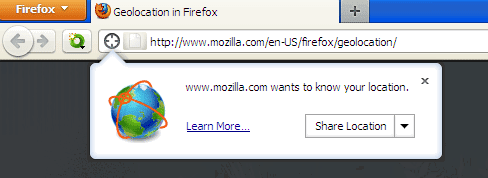
ReplyDeleteThe IE9 screenshot is actually a Firefox screenshot for something else
ReplyDelete> And how exactly this increases privacy, may I ask?
ReplyDeleteIt doesn't. All browsers ask you before giving your location to a website
While it's nice to know how to disable these features, I think it's important to ask "why". If knowing where you are located helps serve you relevant ads (which, by the way, pay for most of the internet you view, including, apparently, this very page), then more power to them.
ReplyDeleteIt's easy to make online tracking sound scary- "they know where you are"- but in truth it's all anonymous, automated, and doesn't harm anyone- I'd say it helps more than it could hurt.
@Anonymous,
ReplyDeleteSorry for the inconvenience, I have changed the IE9 screenshot. Thanks for the information.
I use both Chrome and Firefox, but despite changing the settings as above yesterday and again today, both of them still insist on telling me where they think I am. I use my computer mostly for research so 'local' results are of no interest to me, but if I did require local results then both browsers would be useless anyway as they give as my location a place I've never heard of, which is apparently two counties away from where I live.
ReplyDeleteGeolocation is almost alway deduced from the IP address. I don't see the point of the feature.
ReplyDeletenice
ReplyDeleteI changed the settings on Firefox 4, however when I go to google it finds the nearby location. I am sick of Google trying to make money out of me!
ReplyDeleteAgree with Ugo... Does this just give you the ability to put in your zip code in the browser settings which would be passed to the website if you wanted? If so, you could just say you are somewhere else :)
ReplyDeleteWhy would you encourage people to disable features of modern browsers? If you don't want a browser to get your location, you can click "no." There's no reason to disable this by default.
ReplyDeleteThere's a typo in title Fireox 4*.
ReplyDelete@Mayur,
ReplyDeleteThanks, now it is OK!
Someone says "Why would you encourage people to disable features of modern browsers? If you don't want a browser to get your location....."
ReplyDeleteAnother one says: "If knowing where you are located helps serve you relevant ads (which, by the way, pay for most of the internet you view, including, apparently, this very page), then more power to them."
For me the only non-senseless ask to this questions was: "Internet was a window on the whole world, BUT the geolocation feature restrains this window to my backyard only......so geolocation make Internet quite useless: if you want news and ads only from your city, you don't need Internet at all...."
I turned off everything and still a google search shows my location
ReplyDeleteThis doesn't work, it shows location even when feature is checked not to.
ReplyDelete